Wiring Harness Software – Reinvented
RapidHarness is a full lifecycle CAD solution built for designing production-ready wire harness schematics. Whether you’re working on quick test articles or aerospace grade drawings, RapidHarness draws your schematics for you and generates the documents your manufacturing floor needs.
Free to use – no credit card required
Instant, Automatic Drawing
RapidHarness was designed from the beginning to automatically draw your schematics for you in real-time. Top-level systems, top-level harnesses, and harness wiring tables are all drawn for you, so you can focus on your electrical design.
- Focus on the core of your electrical design, not the artwork
- Save time designing, reviewing, and updating your wiring diagrams
- Develop consistent drawings across engineering and manufacturing teams
- Generate to-scale 1:1 formboards ready for production
- Finish your drawings with shapes, arrows, text, and images, arranged front to back
- Work in imperial or metric, with matching rulers and snap grids
- Round bundles around corners, and bring any bundle to scale the way that suits your drawing
- Highlighted connections show every wire in its own color, across harnesses and whole systems
- Items snap into line with each other as you drag them

Auto-Generated Manufacturing Documents
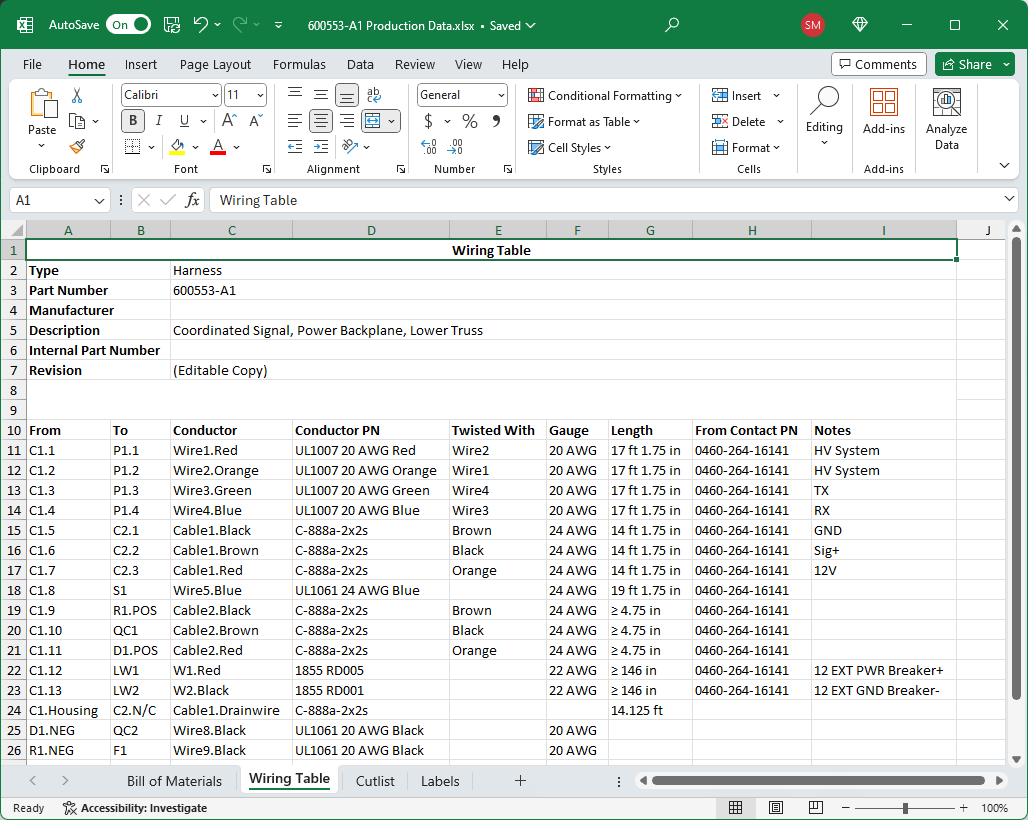
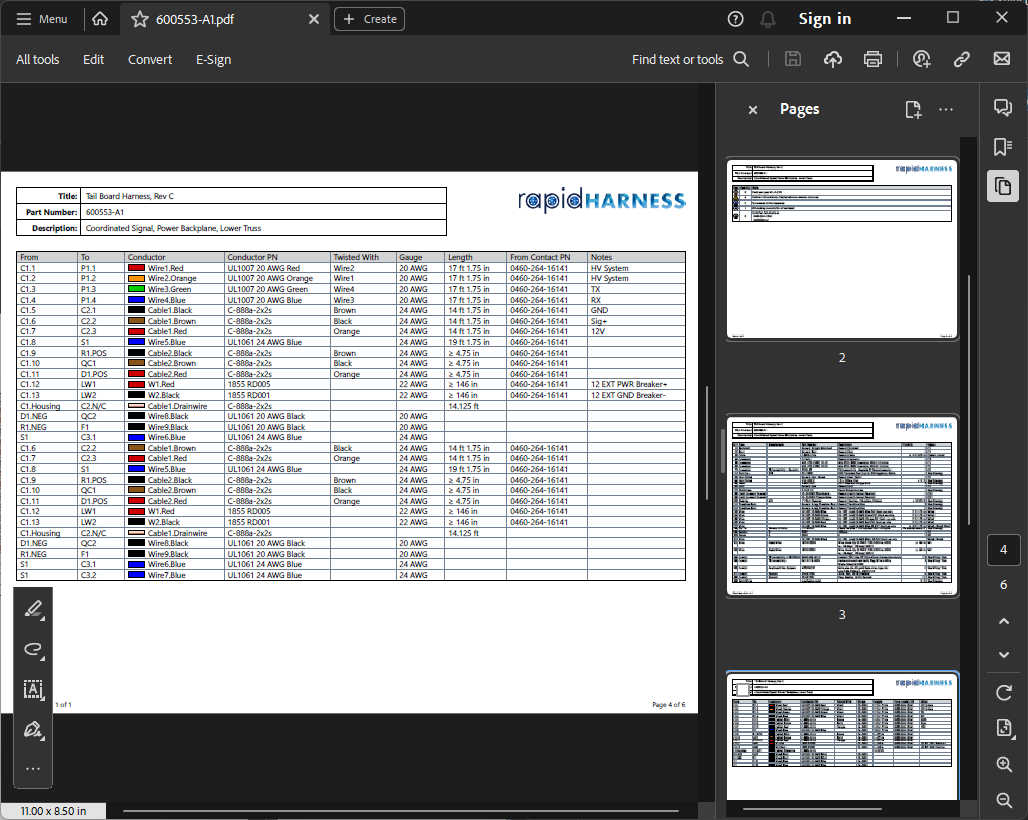
RapidHarness drawings can be taken straight to the manufacturing floor. Our software automatically generates all of the outputs you need in PDF and Excel format, one drawing or many at once, or you can print them directly.
- Top Level Drawing - the visual layout of your schematic, which can be drawn to-scale
- Bill of Materials (BOM) - a complete listing of all the parts needed to build your wire harness
- Wiring Tables and Connection Tables - every wire, cable, and connection in your drawing, with every connection table also printable on pages of its own
- Cut Lists - all of the wire and cable cut lengths
- Tools - the crimp tools, equipment, and fixtures each harness needs
- Notes and Revisions - build callouts and revision history, on the drawing or as their own tables
- Labels - a listing of all bundle labels to be printed
- Netlists - system-level output showing electrical nets as propagated through various harnesses, devices, and systems
- Drawing and table templates with your company's logo, title block, and page sizes
- Add your own pages, and reorder your PDF by dragging tabs
Integrated Library of Parts
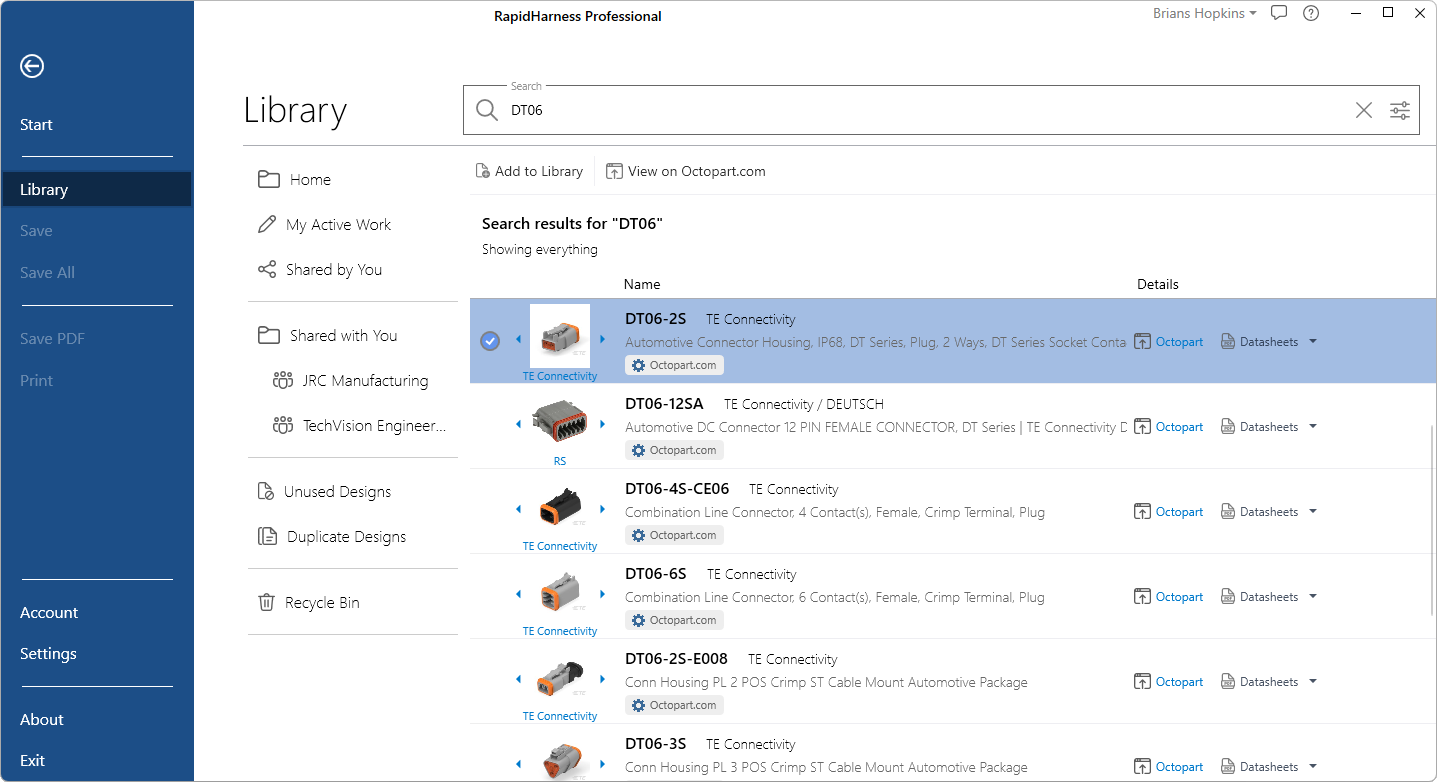
RapidHarness is connected to a library of 95+ million parts, which means you never need to start your designs from scratch! Find the part you need, specify just the attributes you want, and start designing now.
- Search millions of existing parts and add them to your library in one step
- Utilize generic parts to start designing now, and pick an exact part later in the design process
- Create new parts, clone and modify existing parts, share and reuse with your team
- Design Configurations attach related parts (contacts, seals, backshells, tools) so they are added automatically when a connector or terminal is placed
- Library tools find where a design is used, unused designs, duplicates, and missing designs
- Record approved alternate part numbers, shown and searchable in your Library
Complete Harness Modeling
Model your harness the way it is built. Every part you place, from contacts and seals to backshells and coverings, is carried through your drawing, tables, and BOM.
- Connectors with contacts, wire seals, sealing plugs, backshells, boots, and named cavities
- Pigtail connectors with pre-wired leads, fully carried through all outputs
- Cables with shields, drain wires, and twisted pairs; multi-wire twist management
- Splices with cavities, ferrules, ring, spade, and quick-connect terminals, diodes, and resistors
- Bundle coverings such as sleeving, braid, and tape
- Bundle diameters calculated from your wires and cables, with every covering checked for fit
- AWG or mm² wire sizes, including custom sizes
 Connector
 Contact
 Wire Seal
 Backshell
 Boot
Boot Transition Boot
 Wire
Wire Cable
Cable Twisted Wires
 Covering
 Heat Shrink
 Splice
 Ferrule
 Ring Terminal
 Spade Terminal
 Quick-Connect Terminal
 Diode
Diode Resistor
Leverage Harness Power Tools
Our team has built an assortment of tools to help you accelerate your harness design process.
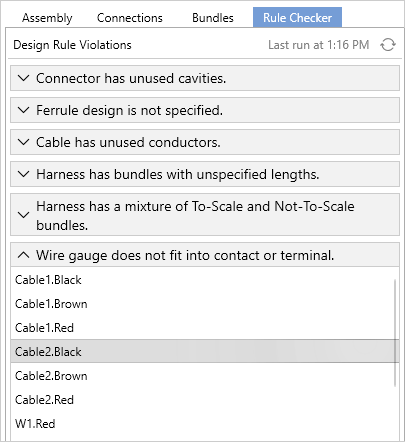
- Rule Checker catches common mistakes and jumps straight to the offending item on your drawing
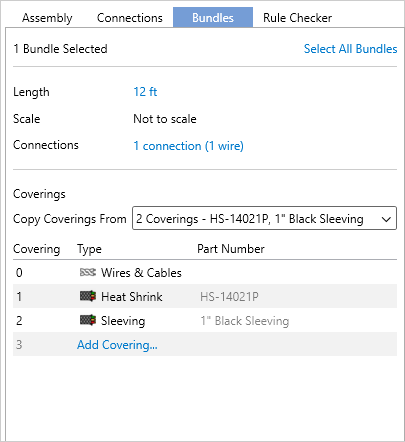
- Bundle inspection shows exactly which wires and cables run through each section of your harness
- Configurable bundle routing and layout
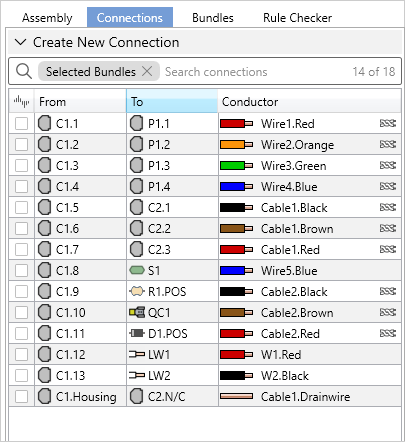
- Twist and untwist wires, or swap a wire's part, right from the connection editor
- Copy and paste whole sections of a harness, wires included
- Remap connections when designs are changed
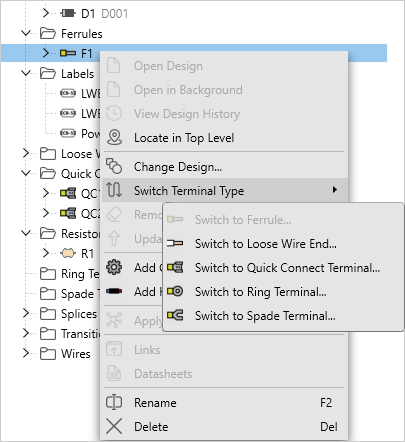
- Switch terminal types on the fly
- Edit, override, and sort your BOM
- Import a wire list or from-to list from Excel
- Undo and redo nearly any edit, with a history list
- Locate any part on your drawing in the Assembly tab
Accurate Wire Lengths
RapidHarness builds every connection length from your harness drawing and the parts on each end, so your cut lists and BOM match what goes on the formboard.
- Connection lengths include connector insertion depth and backshell entry length
- Strip lengths for contacts, ferrules, terminals, and splices carried into your wiring tables and cut lists
- Review and override every input in one place, on one connection or many at once
- Set an extra length per connection and a default loopback length for the whole drawing
- Totals flow straight into your BOM and manufacturing documents


Design at the System Level
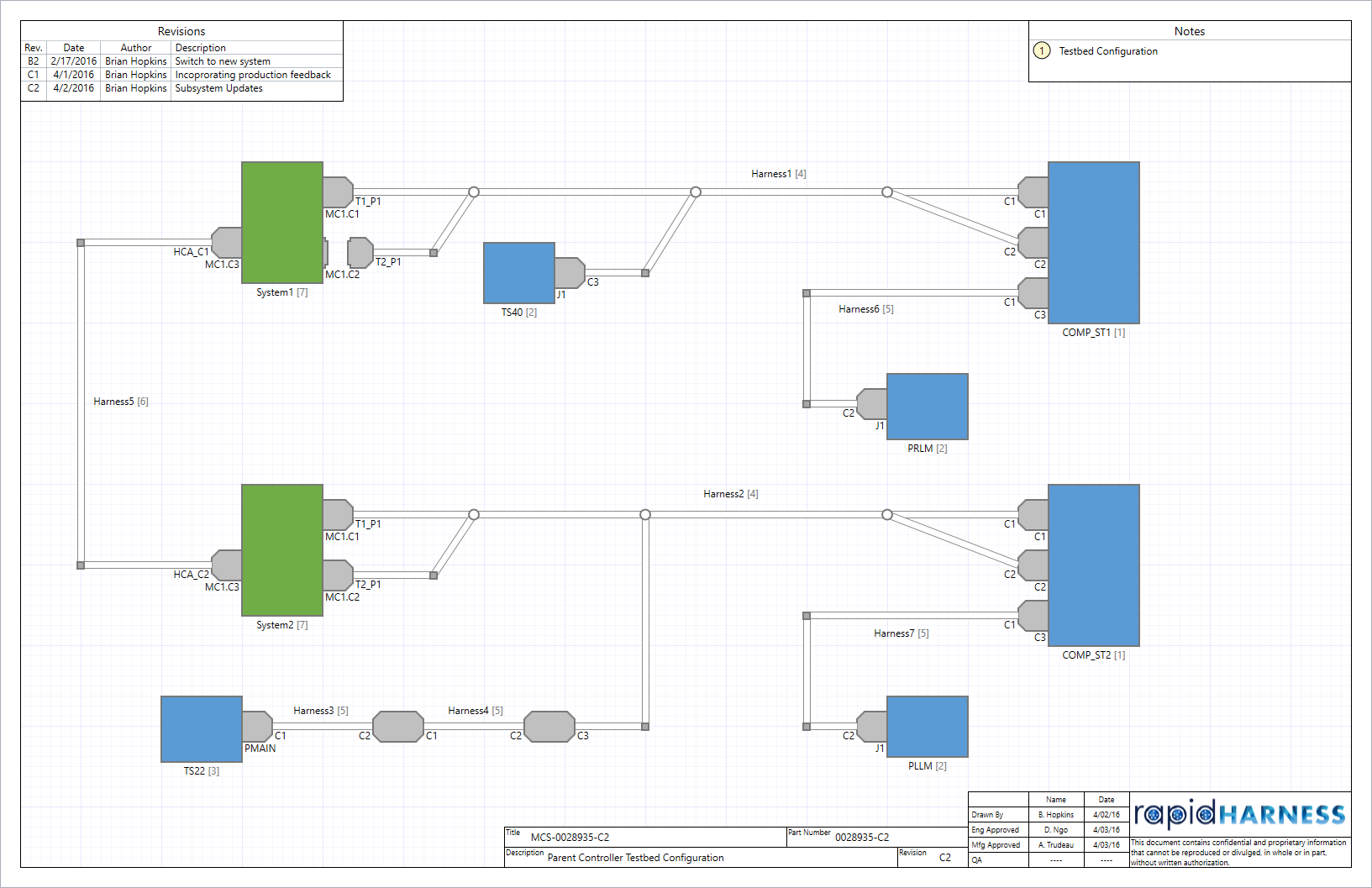
System level design allows you to decompose complex systems into fully reusable designs. By breaking apart your wiring diagrams into smaller components, RapidHarness enables you to design your schematics from a new perspective.
- Save, version, and re-use all designs independently
- Reduce and encapsulate complexity using hierarchical systems of devices and harnesses
- Trace signal propagation through networks of harnesses, systems, and subsystems
- Build & debug your schematics to match your products' assembly throughout different configurations (eg: engineering, build-up, test, integration, final-assembly)
- Aggregate the BOM across an entire system, custom parts included
- Import a device's pin list from an ICD spreadsheet
Create a system composed of devices and harnesses
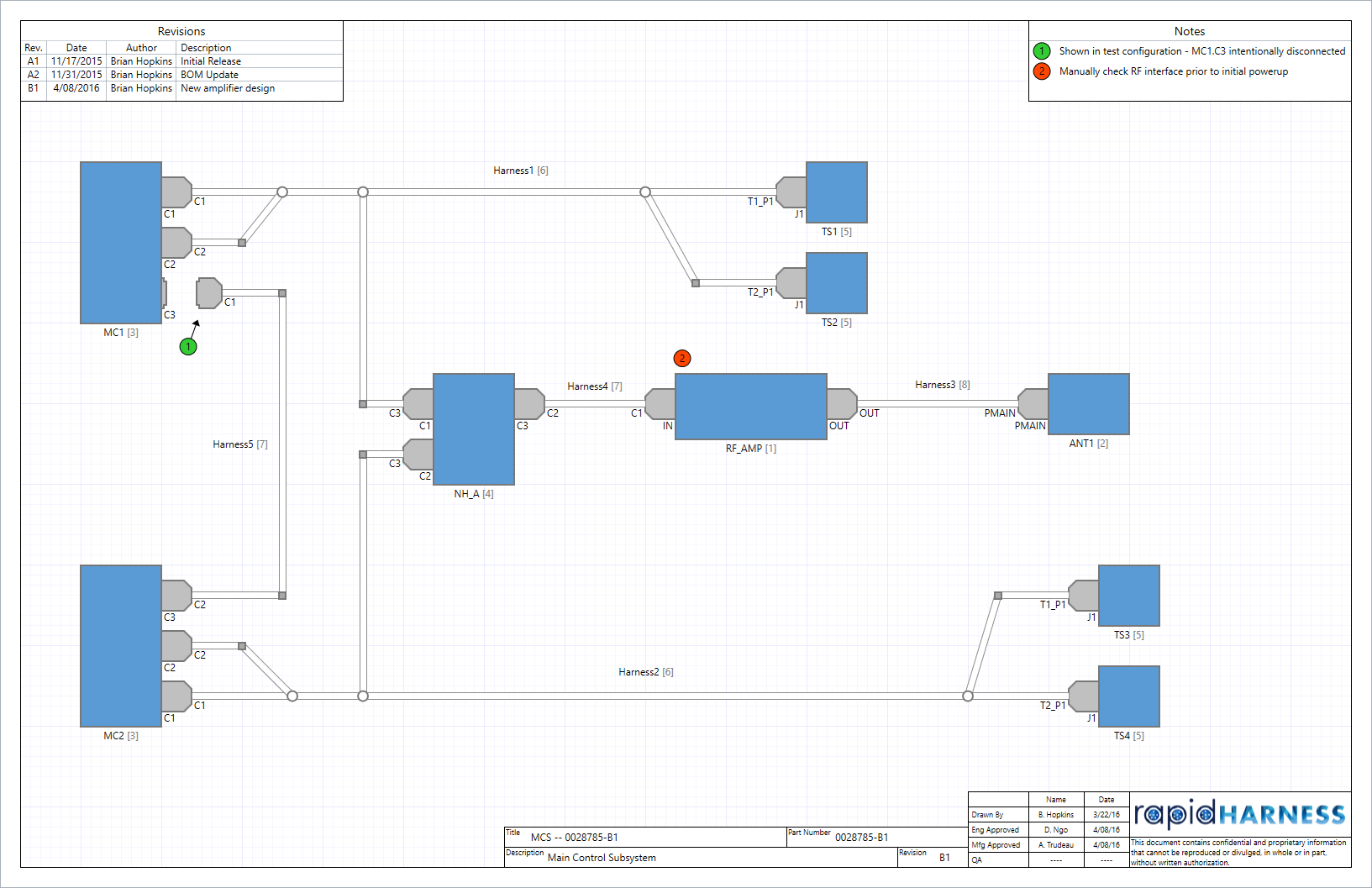
Reuse and add multiple instances of this system within other systems
Built For Teams
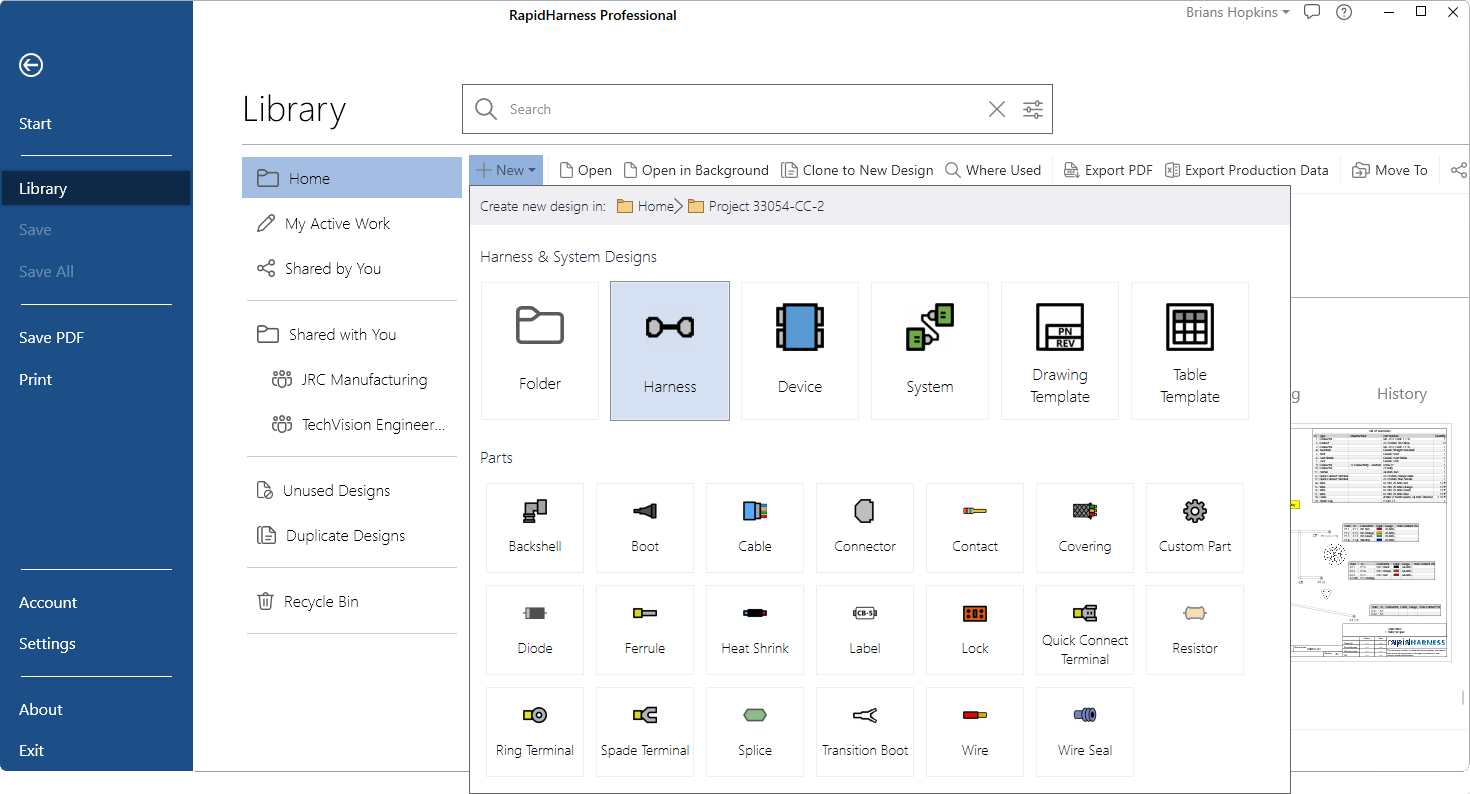
RapidHarness is designed to work for people working independently or large groups collaborating together. Share your Library of designs within your organization to streamline your workflow.
- View and review designs developed by anyone in your team
- Use team-members designs in your work, or revise them further
- Status tags show who is editing what at a glance
- Organize your projects with folders
- Search instantly to find any design in your library
- Team administrators can version a drawing left open by a teammate who is away
Integrated Version Control
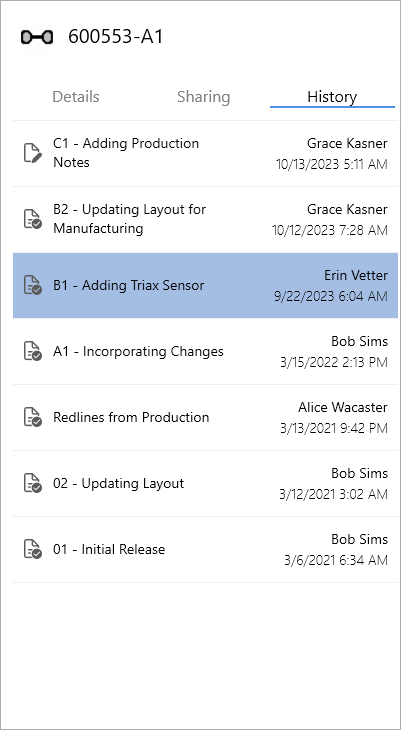
RapidHarness comes with a fully integrated version control system. With the click of a button, you can create a new version of a design, create an immutable version of your design, and clone an existing design.
- Create designs in your own private sandbox, prior to sharing any changes
- Track all design changes with a fully integrated version history
- View read only copies of all historical designs
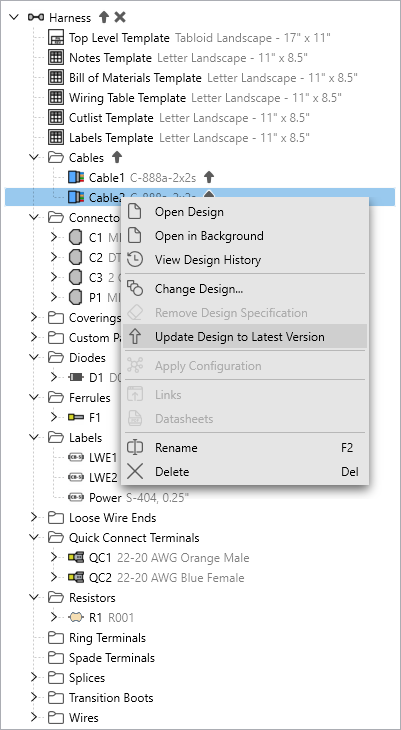
- Update subdesigns as necessary when new versions are created
- Restore deleted designs from the Recycle Bin
Collaborate with External Organizations
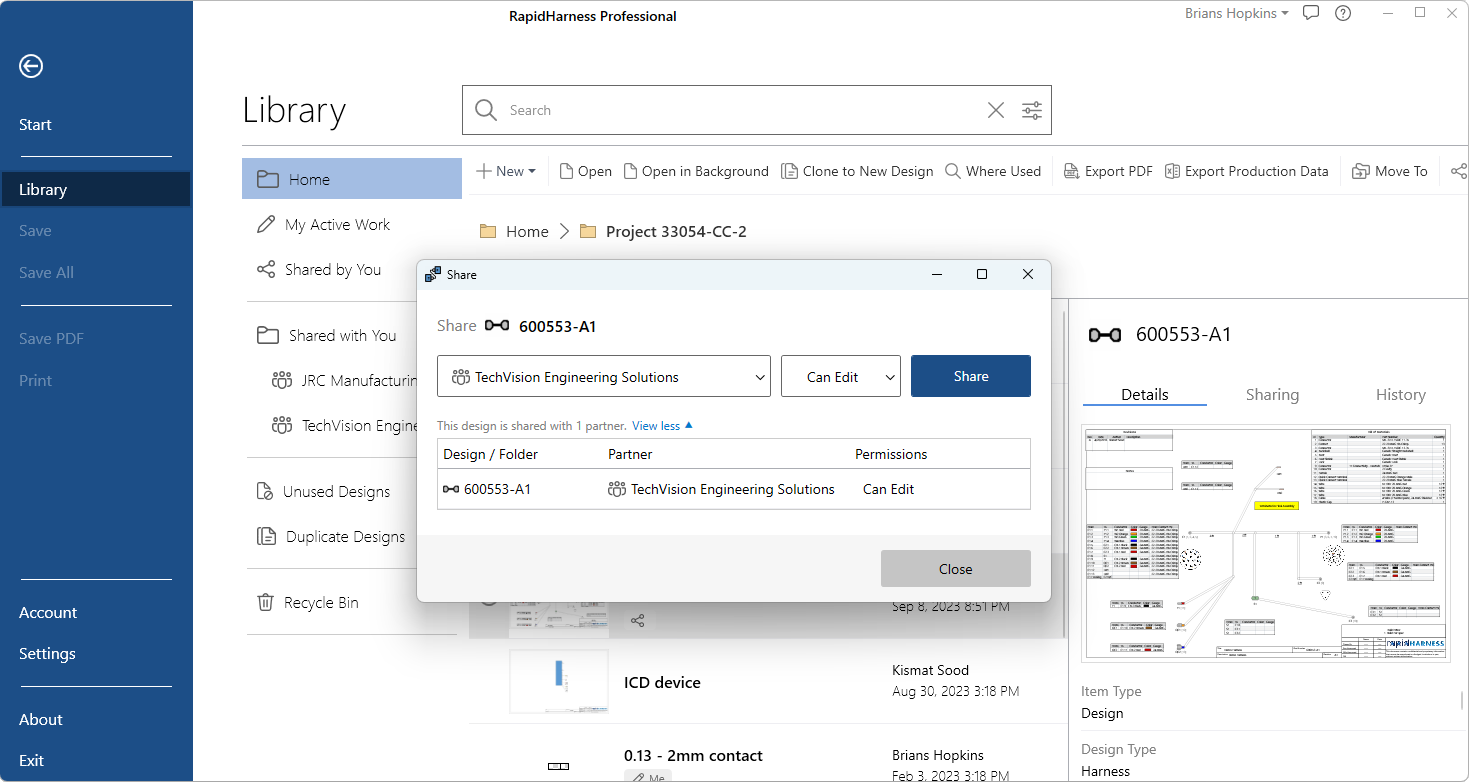
You can share your drawings with users outside of your organization by creating a Partnership in RapidHarness. This will let you share selected folders and drawings with external organizations such as contractors, manufacturers, and consultants.
- Create partnerships by email invitation
- Share individual designs and folders with a given partner
- Grant read-only or editing permissions to restrict access on each shared item
- View designs that are shared with your team
- Transfer ownership of finished designs to a partner's team
Secure Cloud Platform
RapidHarness is a Windows desktop app with your designs stored securely in the cloud, so your whole team works from the same library on any machine.
- Reach your designs from any machine you sign in on
- Encrypted in transit and at rest, on Microsoft Azure in United States data centers
- You own your content, and it is never made public
- Backups are included
- Automatic updates deliver new features as soon as they are released
And Much More...
-
 Strip Lengths
-
 Formboard Creation
-
 Wire Twisting
-
 Rounded Bends
-
 Cable Shielding
-
 Harness Coverings
-
 Internal Part Numbers
-
 Bundle Diameters
-
 Reference Designators
-
 Bundle Labels
-
 Customizable Tables
-
 Label Text Synchronization
-
 Revision Details
-
 Export to PDF / Excel
-
 Build Notes and Flags
-
 Modern UI
-
 Import Connections
-
 Data Backups
-
 Keyboard Shortcuts
-
 Automatic Updates